Posts

TRAINSIGNAL TRAINING - How to Use BitLocker in Windows 8

The following is a list of new functionality in BitLocker for Windows 8 and Windows Server 2012 as provided via What's New in BitLocker from Microsoft TechNet: BitLocker provisioning Windows 8 is now deployable to an encrypted state during installation prior to calling setup. Used Disk Space Only encryption BitLocker now offers two encryption methods, Used Disk Space Only and Full volume encryption. Used Disk Space Only allows for a much quicker encryption experience by only encrypting used blocks on the targeted volume. Standard User PIN and password change Allows a standard user to change the BitLocker PIN or password on operating system volumes and the BitLocker password on data volumes, reducing internal help desk call volume. Network Unlock Enables a BitLocker system on a wired network to automatically unlock the system volume during boot (on capable Windows Server 2012 networks), reducing internal help desk call volumes for lost PINs. Support for Encrypted Hard Dr...
70-411 Server 2012 Certification Exam Prep Resources on Born to Learn

Leann Turpin is the Site Manager for the Born to Learn site and she has been adding and updating to the Certification Exam Prep Resources as part of the Server Certification Study Group content. I have been reviewing these for my 70-417 exam (which is not broken down as its own entry but is there as part of the core entries). The site breaks down each skills measured subtopic into groupings and offers links to the materials. For those of you looking for 70-411: Administering Windows Server 2012 materials can check out the wiki page for the 70-411 exam for all the links.

SCAM ALERTS - Calls from “Microsoft Windows”, optimizepcservice.com and / or 424-256-3700 / 800-800-9822 - SCAM ALERT

Here is my technology public service announcement for the week; if anyone cold calls you about your computer, that they are a windows tech and using "scare tactics" like your "computer is going to crash" or they have you "Windows Key+r and have you enter eventvrv" to run the Event Viewer so they can "prove" that these errors exist - HANG UP. It is a scam - they are just trying to charge you for a non service as there's probably nothing wrong with your system in the first place. The numbers / contact information people are reporting to me include 800-800-9822 and 424-256-3700 and a website http://www.optimizepcservice.com/ The callers speak with a foreign accent and so will any “manager” that comes to the phone. Many times they will simply identify themselves as working for “Microsoft Windows”; I worked for Microsoft Corporation for nearly nine years – there never was a consumer / end user service division and to this da...

Testimonial: Got the skills and had certifications to back it up

It’s like I say “If I can teach someone the technology and they can learn the material, they will pass the exams” and that applies just as much to myself as anyone else. Here is a video shot of me at TechEd 2012 regarding the rebranding of the Microsoft Certification tracks for Windows 8 and Server 2012

70-410 Server 2012 Certification Exam Prep Resources on Born to Learn

Leann Turpin  is the Site Manager for the Born to Learn site and she has been adding and updating to the Certification Exam Prep Resources as pa rt of the Server Certification Study Group content.   I have been reviewing these for my 70-417 exam (which is not broken down as its own entry but is there as part of the core entries). The site breaks down each skills measured subtopic into groupings and offers links to the materials. For those of you looking for 410: Installing and Configuring Windows Server 2012 materials can check out the wiki page for the 70-410 exam for all the links.

Taking my first look at VMWare's Project NEE

Image
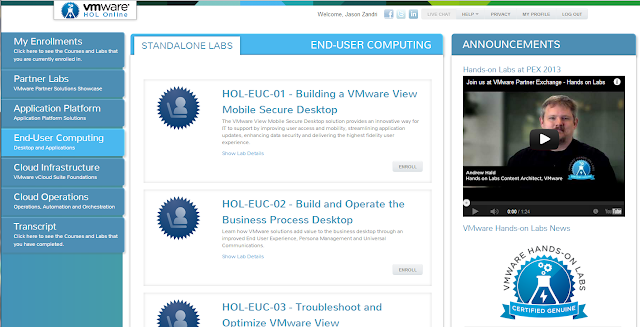
I am looking forward to my  opportunity to review VMWare's Project NEE . I received my welcome email and beta sign in information: "Welcome to Project NEE! We're happy to welcome you to the NextGen Education Environment." The VMware Hands-on Labs are now available and the public beta has over one thousand users according to the information as posted on the VMware Hands-on Labs communities page. If you are interested in participate in this you can request a logon via the VMware Hands-on Labs Online Public Beta   section of their communities page in the "Public Beta Interest List" section. If you want to keep up-to-date on the latest hands on Labs news you can read about VMware innovations for both event-based and online labs via their blog http://blogs.vmware.com/hol One word of note - Internet Explorer is not supported. If you want to use the environment you'll need to Install one of the supported browsers: FireFox 13+ Chrome 18+ Safari ...

TRAINSIGNAL - Windows Server 2012 Installing and Configuring (70-410) Training

Image
I personally use TrainSignal Training for my own studies and continue to do so 10 years later and I highly recommend them for anyone that is looking to study for the corresponding certification exams or just looking to increase their knowledge on the subject matter. In both cases TrainSignal puts you on the best track for success. For the Windows Server 2012 Installing and Configuring (70-410) Training , Ed Liberman teaches you how to perform a full installation of Server 2012. The course goes through exam objectives for Exam 70-410 including: -- Active Directory Domain Services -- Implementing Server Virtualization with Hyper-V -- Introduction to PowerShell -- PowerShell vs Command Prompt -- Implementing Network Services -- Working with Group Policy -- Installing Windows Server 2012 -- Group Account Management -- Computer Account Management -- Organizational Unit (OU) Management -- Implementing IPv4 -- Implementing IPv6 -- Implementing DNS, DHCP, Group Policy and more The train...